📘 Now in its Second Edition
Ship better docs by treating them like code
Version control, automation, and real team collaboration — the same workflow developers already use, applied to technical documentation. This site and the book behind it show you exactly how.
Available in print and ebook via Lulu · by Anne Gentle
"This book will be the go-to guide for people looking to get into the Docs like Code world. It has been on my list to write for a while, and I'm glad someone did for me."
— Eric Holscher, Co-founder of Read the Docs & Write the Docs
Version every change
Use Git to track who changed what and why — for docs, not just code.
Automate your builds
CI/CD pipelines that publish your docs on every merge, no manual steps.
Review with pull requests
Writers and developers collaborate in the same workflow they already know.
Scale with your team
Patterns that work whether you're a solo writer or a distributed doc team.
Who this is for
Try it in your browser — under 10 minutes
No local setup needed. All you need is a GitHub account.

- Create a free GitHub account at github.com. (Free vs Pro — which plan?)
-
Create a new repository named
yourusername.github.io— for example,annegentle.github.io. -
On the repository's Code tab, click Add file → Create new file.

-
Name the file
index.mdand add a line of text — this becomes your live web page.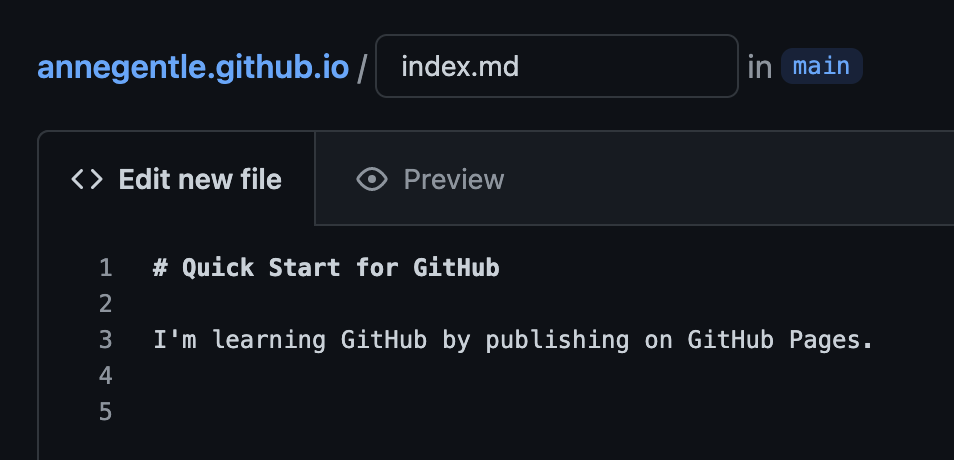
-
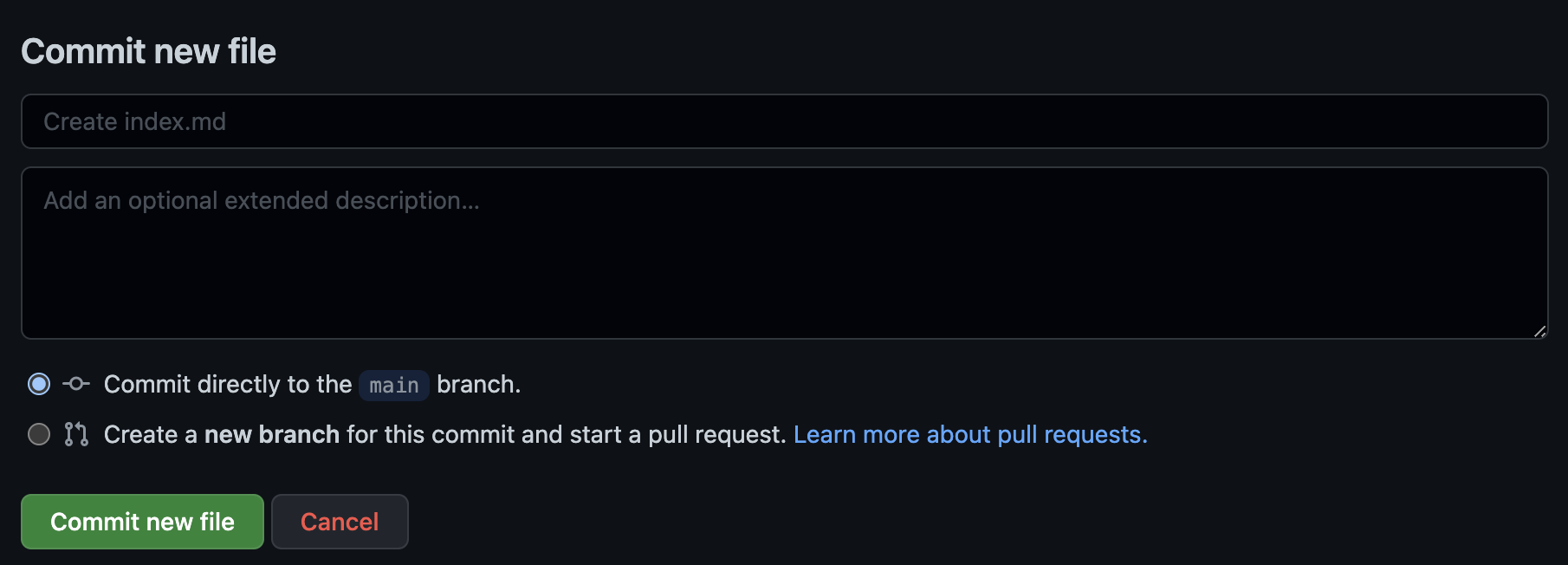
Click Commit new file.
-
Wait a few seconds, then visit
https://yourusername.github.io. See annegentle.github.io for a live example.
Don't see a page? Go to Settings → Pages in your repo and verify GitHub Pages is enabled.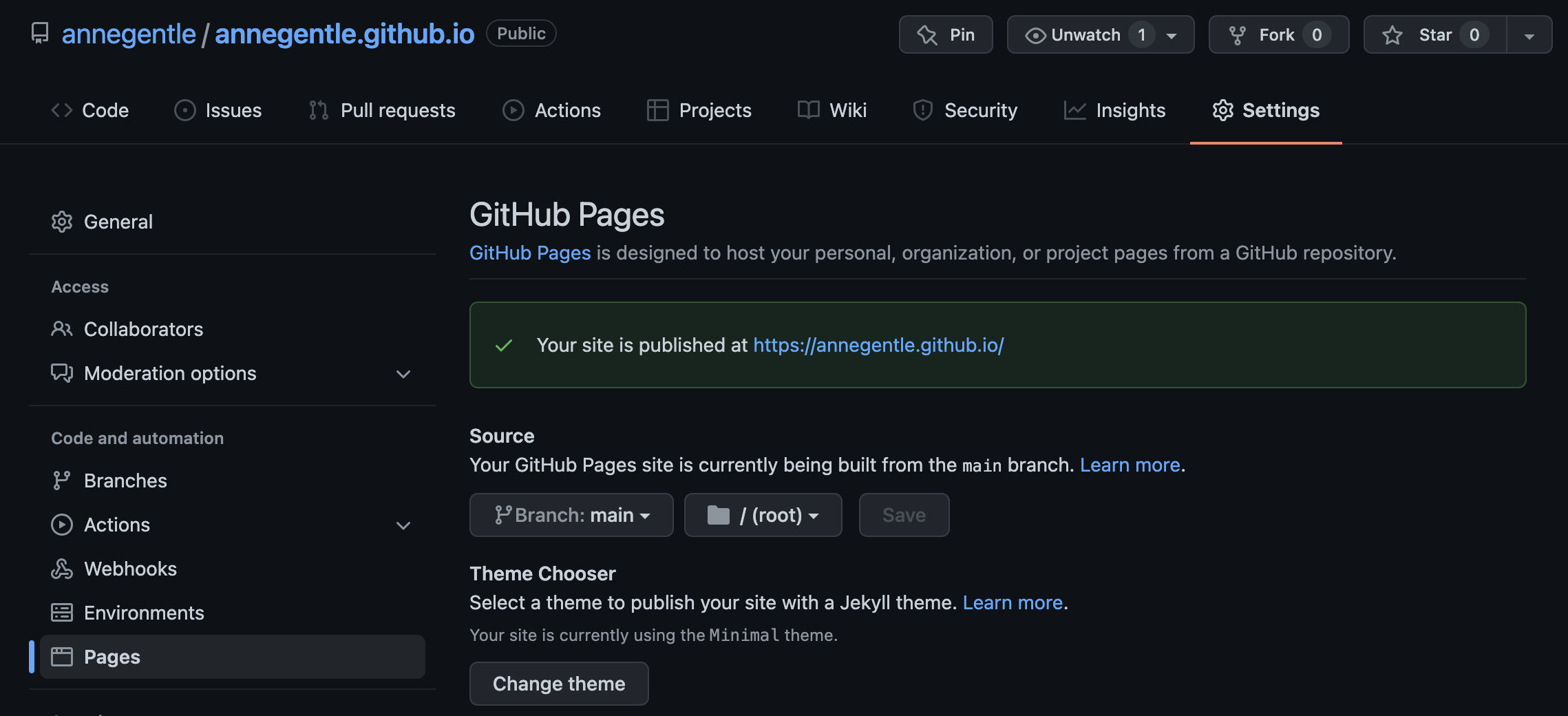
More scenarios at pages.github.com.
That's the core loop: write a file, commit it, and it publishes automatically. The book and guides on this site show you how to take that same idea much further.
Protecting a Branch so Only the Docs Team Merges and Publishes
When you want to allow the docs team members to maintain docs within a code repo, while giving the docs team autonomy over their own reviews and merges, you can use a protected branch and a CODEOWNERS file.
Adopting Docs-as-Code: From Hackathon to Production
Sysdig’s journey from unstructured to structured, and finally, to semi-structured authoring and how Sysdig hackathon enabled designing their homegrown docs-like-code solution.
Setting up Techdocs on Backstage
Techdocs is Spotify’s homegrown docs like code solution. it allows the user to store documentation to near code thus allowing it to be easily discovered.
Survey results for learning and teaching docs-like-code techniques
Review the results of a mid-2020 survey about learning and teaching team mates and yourself how to work with docs like code, Git, and GitHub for technical documentation.
Ten tips for maintaining a long-term relationship with docs like code
Learn about one team’s journey to keep a long-term relationship with their docs-like-code system, TechDocs, which is open source and available to all.
Building Our Documentation Site on platformOS — Part 4: Implementation
Welcome to part 4 of our article series, where we take a look under the hood, discuss the technologies we used, how we built our auto-generated API Reference, and how we use GitHub for our docs as code workflow and more.
Yes You Can Use GitHub Pages with Python Sphinx
Learn some pro tips to build Python Sphinx developer docs to both GitHub Pages and your local system.
Building Our Documentation Site on platformOS — Part 3: Community
Welcome to part 3 of our article series where we explore how we collaborate with our community.
Redis - Moving to Agile, Open Source Docs
Why Redis is joining the revolution of open source docs.
Building Our Documentation Site on platformOS — Part 2: Content Production and Layouts
Welcome to part 2 of our article series where we discuss how content production started, and how we created the layouts and navigation for the site.